


Spoken summaries
Hear what each session did.
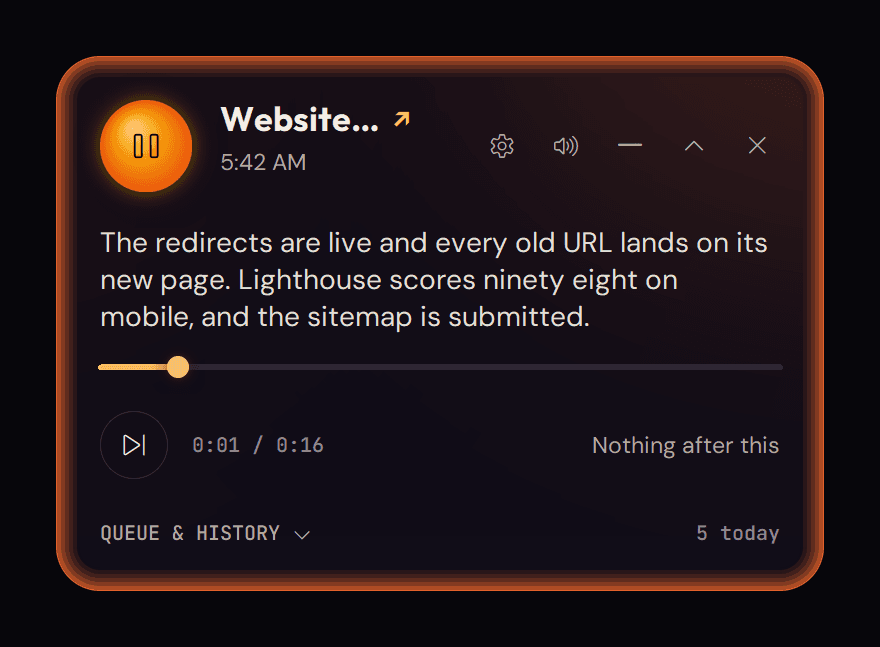
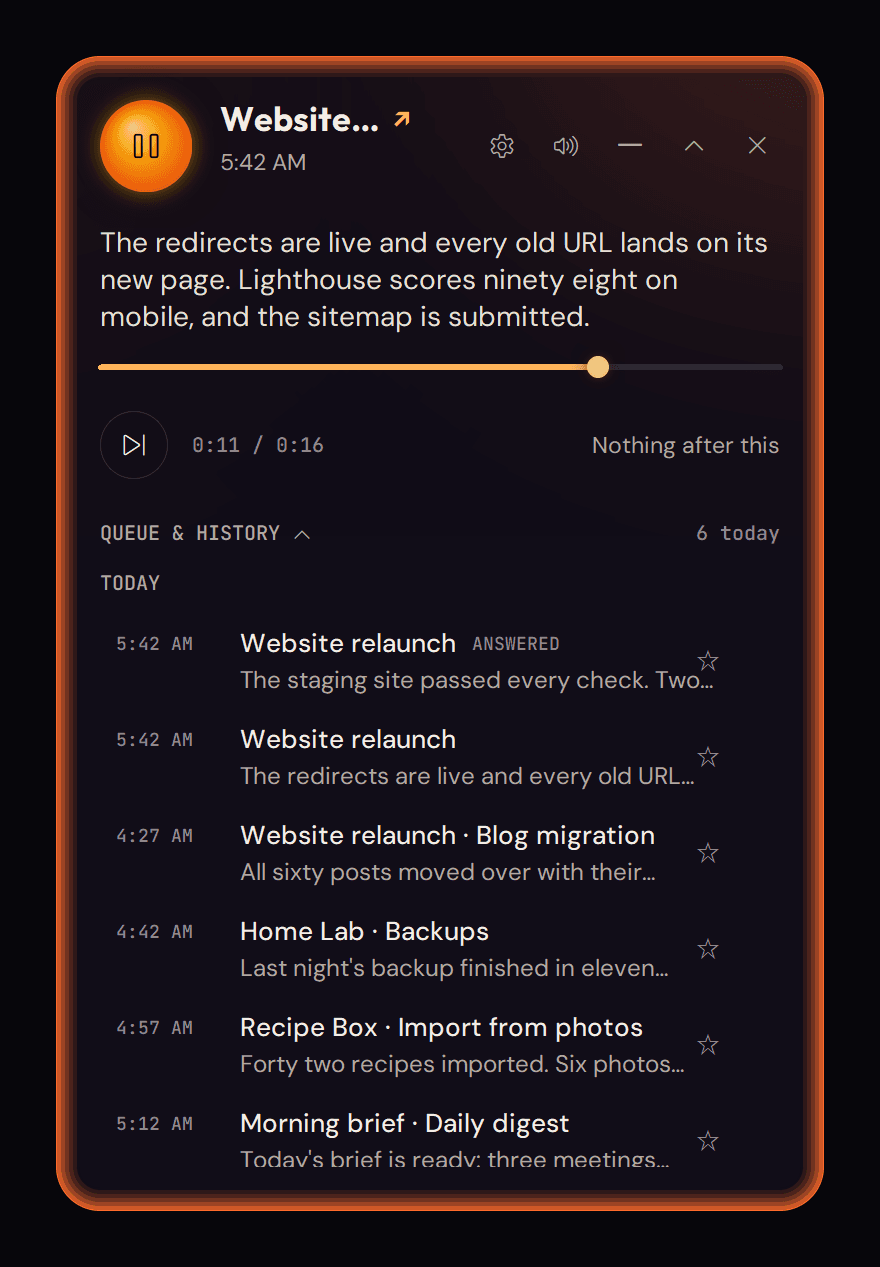
When a Claude Code session finishes a turn, the player reads a sentence or two about it. Summaries are written by claude -p on your own subscription and voiced on your machine by Kokoro.
Made by MadeFire · Free and open source
A small desktop player for Claude Code. It speaks a short summary of every reply and puts every question your agents ask in one place.

What it does
Spoken summaries
When a Claude Code session finishes a turn, the player reads a sentence or two about it. Summaries are written by claude -p on your own subscription and voiced on your machine by Kokoro.
Calls
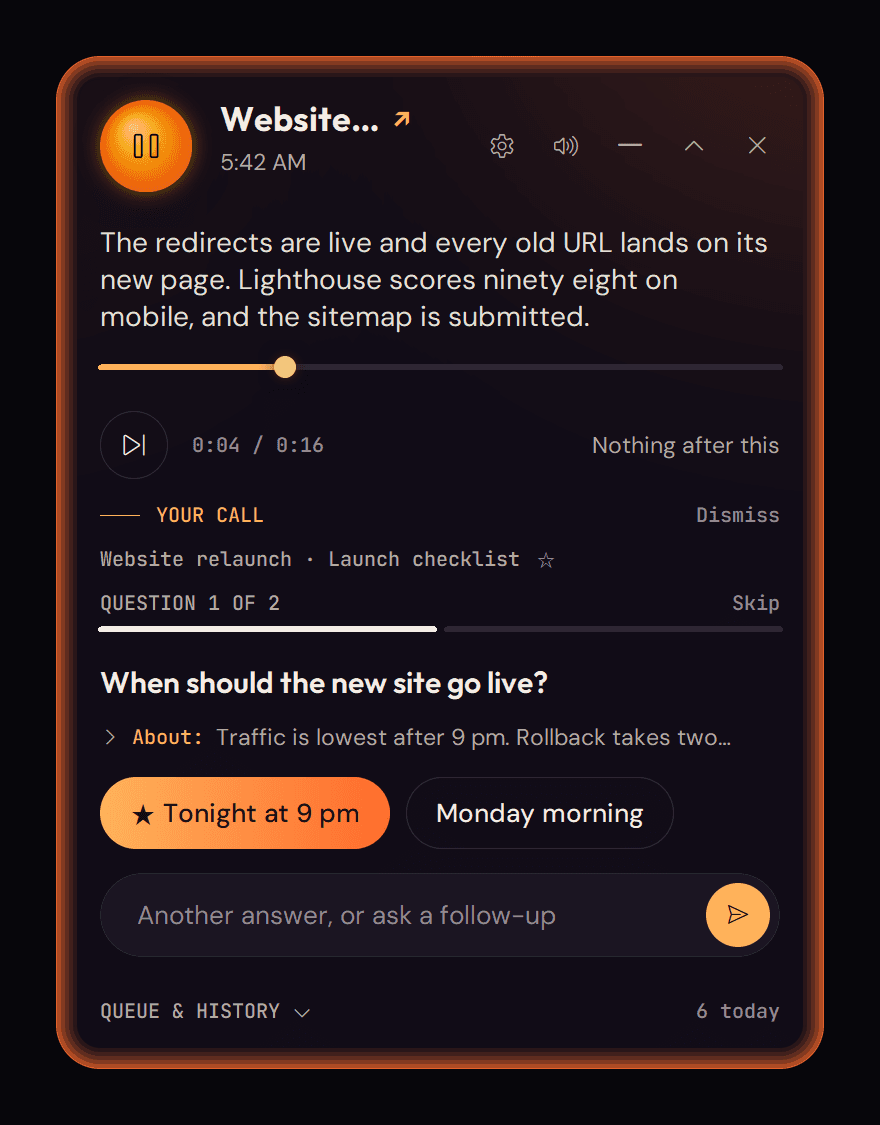
When an agent ends a reply with decisions, each one becomes a step with clickable options. The recommended answer has a star. Nothing goes back until you check the review step, so the agent never acts on half your answers.
Answers go home
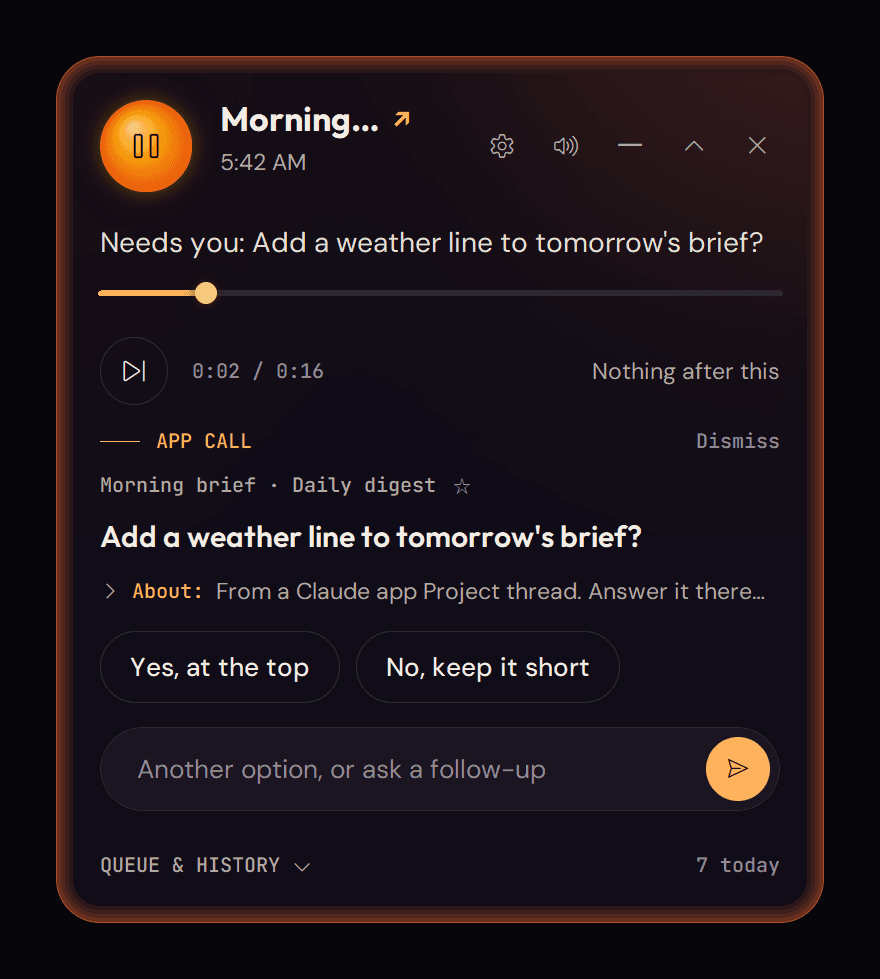
A thread open in the Claude desktop app gets your answer typed in. A terminal or editor session is resumed in the background. Threads in a Claude app Project can push questions here too, and the answer returns to that thread.
Queue and history
Up next and the last seven days in one list. Click a row to read the full reply, replay it, or open its session. Pin the projects you care about so their calls come first.
Themes
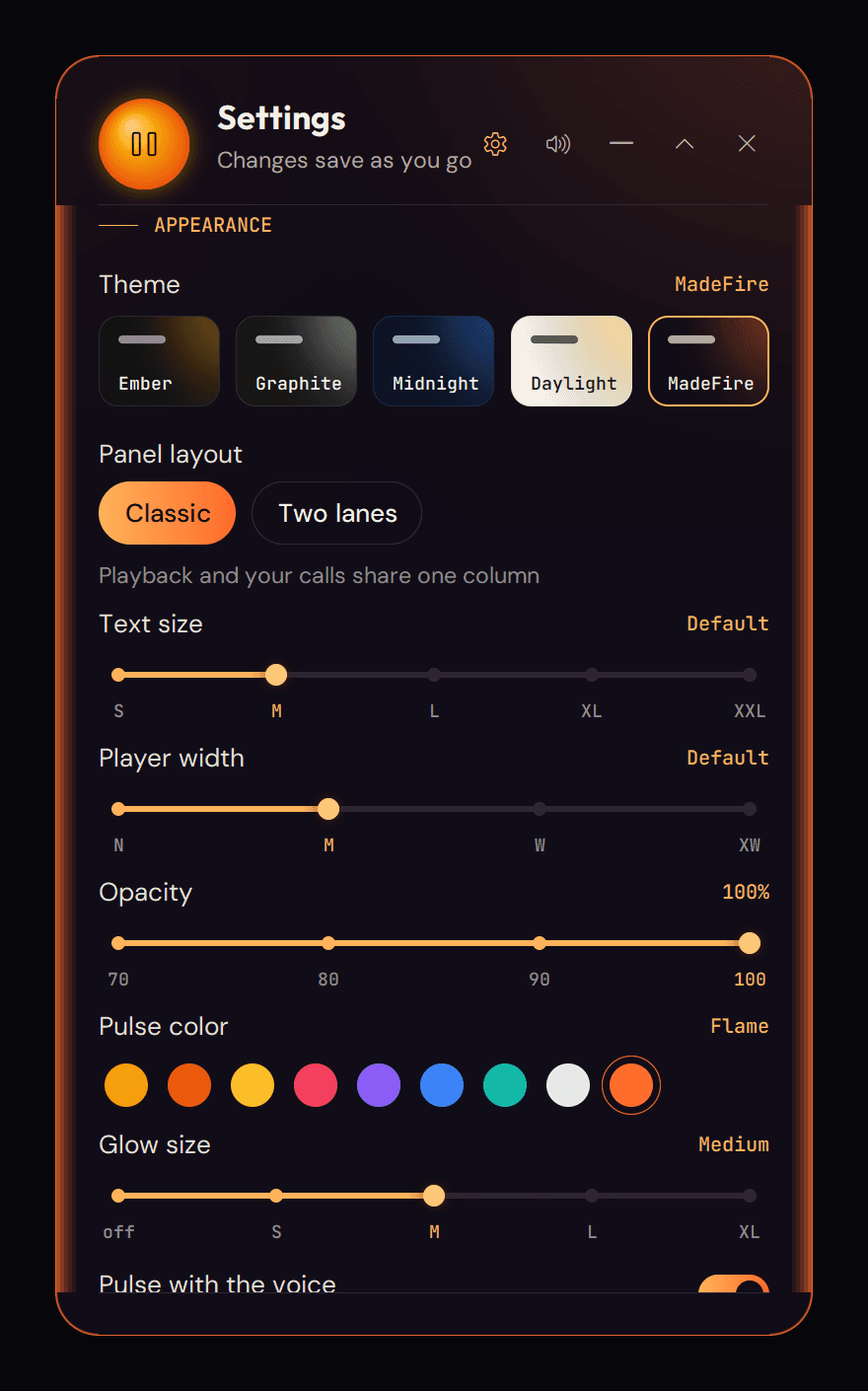
Ember, Graphite, Midnight, Daylight and MadeFire. Every theme passes a 4.5 to 1 contrast check. Text size, panel width and layout change in Settings, and changes save as you go.
Video tutorial
A reply, a call with two questions, a cloud thread, history, themes and the orb. Captions are on the CC button.
Install
You need Windows 10 or 11, Python 3.10 or newer and Claude Code. The claude CLI is optional. Without it, the player reads a cleaned excerpt of each reply.
Full setup guide on GitHubgit clone https://github.com/yprimakov/claude-voice-player.git
cd claude-voice-playerpython setup.pyCreates a virtual environment, installs the packages, downloads the Kokoro model (about 340 MB) and adds the Stop and Notification hooks to Claude Code. Your existing hooks stay.
type nul > "%USERPROFILE%\.claude\voice_enabled"Delete that file to turn voice off. The next reply starts the player on its own.
Privacy
The voice model runs locally on the CPU. History and settings live in your user folder, and history keeps seven days. The player listens on 127.0.0.1 only and refuses requests from browsers. The only network call is the optional summary, made by your own claude CLI.
Open source
The whole player is Python and MIT licensed. Issues and pull requests are welcome on GitHub.
github.com/yprimakov/claude-voice-playerNot affiliated with or endorsed by Anthropic. Claude is a trademark of Anthropic.
Free, about ten minutes
We built this to run our own agent sessions. Ember, our intake agent, learns your business in about ten minutes and points you to the right engagement.